
LCD Brightness Explained: Understanding Nits, Contrast Ratio, and Visibility
When choosing an LCD display for digital signage, retail advertising, self-service kiosks, or commercial projects, brightness is one of the most important specifications to evaluate. However, a higher brightness rating does not automatically guarantee better visibility.
To select the right commercial LCD display, buyers need to understand how nits, contrast ratio, ambient light, screen reflections, and viewing conditions work together.
In this guide, we explain LCD brightness in practical terms, compare key display specifications, and show how to choose the right brightness level for different commercial environments.
1. What Is LCD Brightness?
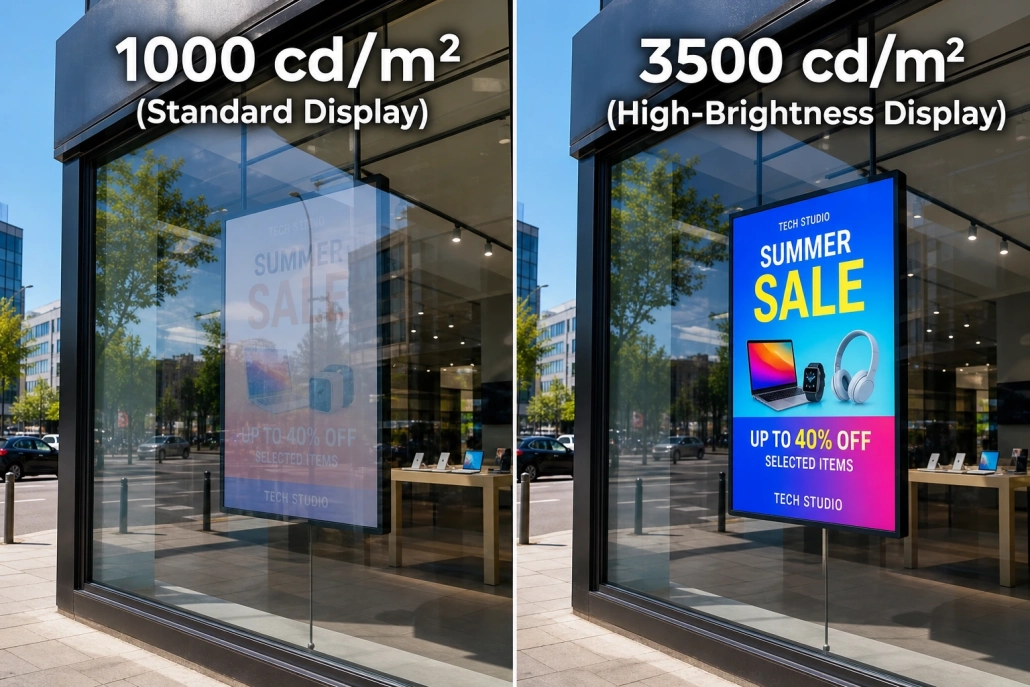
LCD brightness refers to the amount of visible light emitted by a display screen. It is commonly measured in nits, with one nit equal to one candela per square meter (cd/m²).
In simple terms, a higher nit rating means the screen can produce a brighter image. This is particularly important when a display must compete with sunlight, bright indoor lighting, or reflections from glass.
For commercial display buyers, brightness affects how clearly customers can read text, view product images, and recognize promotional content from a distance.
However, brightness should always be evaluated alongside contrast, anti-glare performance, viewing angle, and the lighting conditions at the installation site.
2. What Are Nits? Understanding Display Brightness Ratings
Nits are the standard unit used to describe display luminance. They help buyers compare the brightness capabilities of different LCD panels and digital signage products.
The following table provides general guidance for common commercial applications.
| Brightness | Typical Applications | Key Considerations |
|---|---|---|
| 250–400 nits | Offices, meeting rooms, controlled indoor lighting | Suitable for ordinary indoor viewing |
| 400–700 nits | Retail interiors, indoor commercial signage, information displays | Useful in brighter indoor environments |
| 700–1,500 nits | Bright retail areas, some storefront windows, selected semi-outdoor installations | Actual visibility depends on sunlight exposure and reflections |
| 1,500–2,500 nits | High-brightness window displays and selected outdoor applications | Requires suitable thermal design and optical performance |
| 2,500–3,500+ nits | Sunlit storefronts and many outdoor digital signage applications | Weather protection, heat dissipation, and anti-glare design become especially important |
These ranges are general starting points, not universal standards. The appropriate brightness depends on the amount of direct sunlight, the direction of the screen, glass reflections, installation height, and content design.
For example, a display facing a shaded shopping mall entrance has different requirements from a screen installed behind a storefront window exposed to direct afternoon sunlight.
3. What Is Contrast Ratio in an LCD Display?
Contrast ratio describes the difference between the brightest white and the darkest black a display can produce. It is commonly expressed as a ratio, such as 1,000:1, 1,200:1, or 3,000:1.
A higher contrast ratio can help images appear more defined, with more distinct dark and bright areas. It can improve the readability of text, product images, and promotional graphics when the display is viewed under suitable conditions.
For example:
- 1,000:1 contrast ratio: A common specification for many LCD panels.
- 1,200:1 contrast ratio: Can provide a useful balance for general commercial display applications.
- 3,000:1 or higher: May deliver deeper-looking blacks and stronger tonal separation, depending on the panel technology and measurement method.

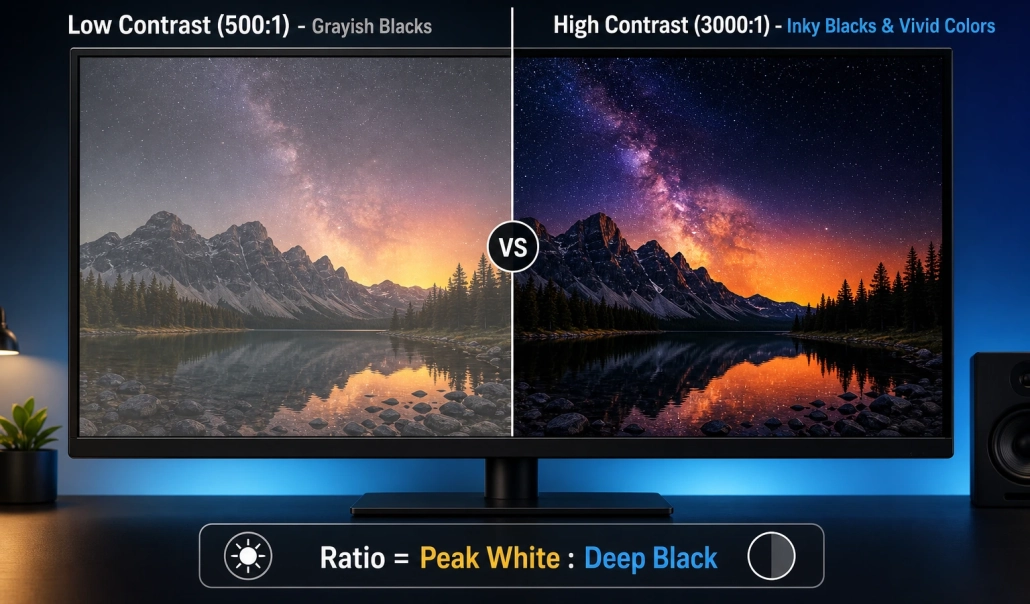
It is important to note that contrast ratio figures are not always directly comparable between manufacturers. Static contrast and dynamic contrast are different measurements, and specifications should be checked carefully.
Most importantly, a high contrast ratio alone cannot overcome strong reflected sunlight. Ambient light can make black areas look gray and reduce the perceived contrast of the displayed image.
4. Nits vs. Contrast Ratio: What Is the Difference?
Brightness and contrast ratio are related, but they measure different properties.
- Brightness (nits) indicates how much light the display emits.
- Contrast ratio indicates the difference between the display’s brightest and darkest output.
- Perceived visibility describes how easily people can see and understand the content in the actual environment.
Consider two displays installed near a storefront window. One has a higher brightness rating, while the other has a better anti-reflective surface and lower screen reflectance. Depending on the direction and intensity of the sunlight, the second display may still deliver more comfortable viewing.
This is why commercial buyers should not select an LCD display based on a single specification. A balanced design must consider brightness, contrast, reflections, viewing angle, and operating conditions.
5. Why Ambient Light Affects LCD Visibility
A display does not operate in isolation. It competes with the light surrounding it.
In a dim room, even a standard-brightness LCD can look vivid. In a bright retail store, shopping mall entrance, or sunlit storefront, the same screen may appear washed out.
Several environmental factors affect readability:
Direct Sunlight
Direct sunlight can overwhelm a screen with insufficient luminance. Window-facing advertising displays often require higher brightness than ordinary indoor signage.
Reflections from Glass and Screen Surfaces
Reflections can obscure text and images even when the LCD panel itself is bright. Anti-glare glass, anti-reflective treatments, and appropriate optical design can help reduce this problem.
Screen Orientation
A screen facing east or west may receive intense morning or afternoon sunlight. The direction of installation can therefore affect the brightness required for acceptable visibility.
Viewing Distance and Angle
A display installed high above a storefront or viewed from across a road needs clear, legible content. Viewing angle, screen size, font size, and image contrast all contribute to the viewing experience.
6. How to Choose the Right LCD Brightness for Different Applications
The right brightness level depends on where and how the display will be used.
Indoor Digital Signage: 400–700 Nits
For indoor menus, information displays, shopping mall signage, and commercial screens away from direct sunlight, a brightness level of approximately 400–700 nits may be suitable.
Higher brightness may be necessary near large windows or under intense lighting.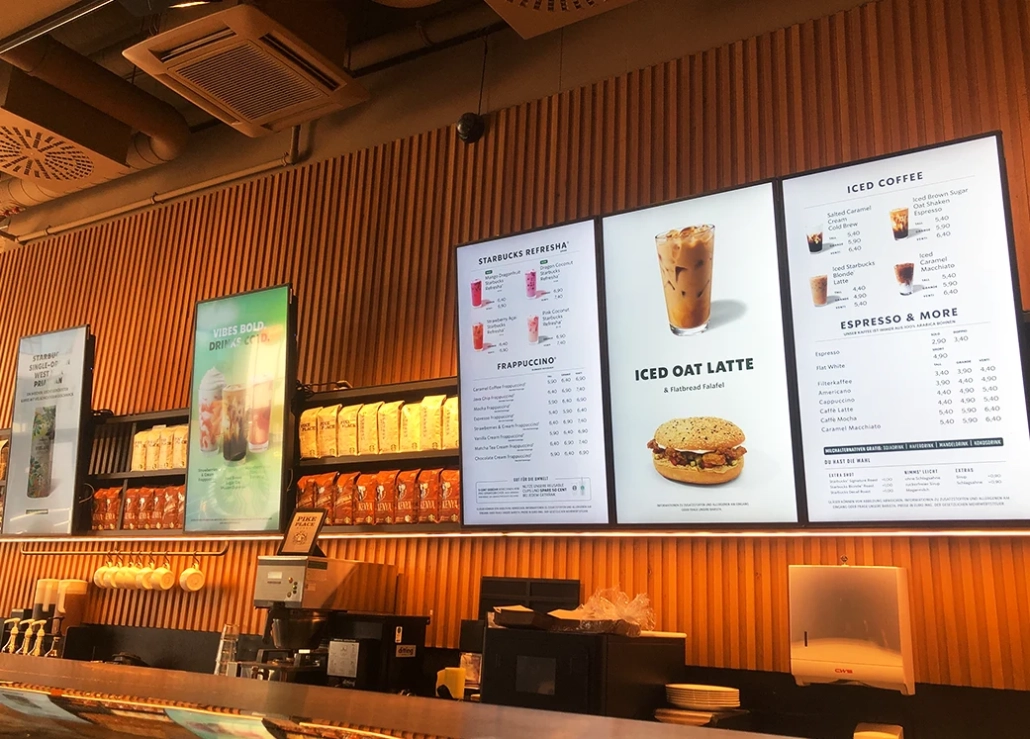
High-Brightness Window Displays: 700–3,000+ Nits
Window-facing displays must compete with daylight entering through glass. Depending on the amount of sunlight and the glass configuration, brightness levels from approximately 700 nits to 3,000 nits or more may be appropriate.
The selection should consider whether the screen faces direct sunlight, the distance between the display and the glass, and whether reflections are controlled.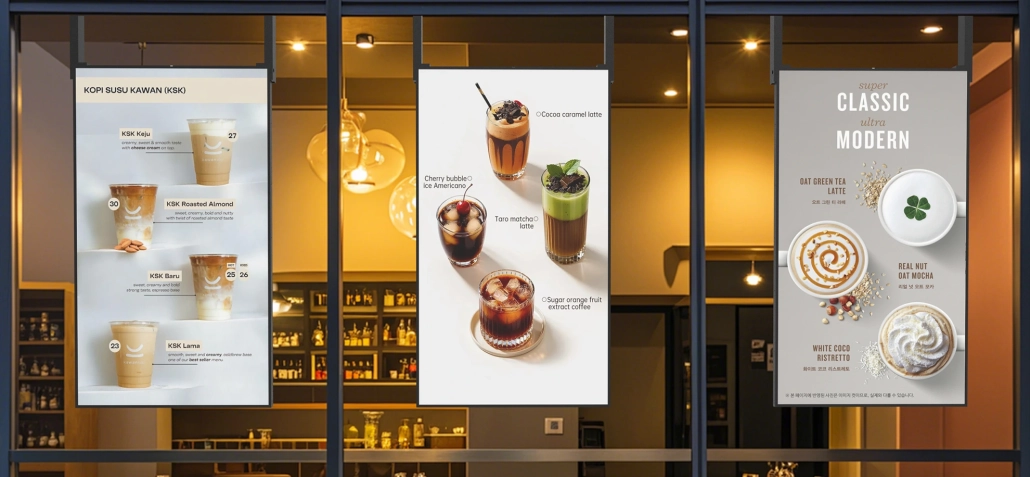
Outdoor Digital Signage: 1,500–3,500+ Nits
Outdoor displays often require higher brightness to remain readable in daylight. Depending on the installation, a high-brightness display rated at 2,000–3,500 nits or above may be suitable.
Brightness is only one part of outdoor performance. Buyers should also verify weather resistance, ingress protection, thermal management, anti-glare glass, and the product’s supported operating temperature.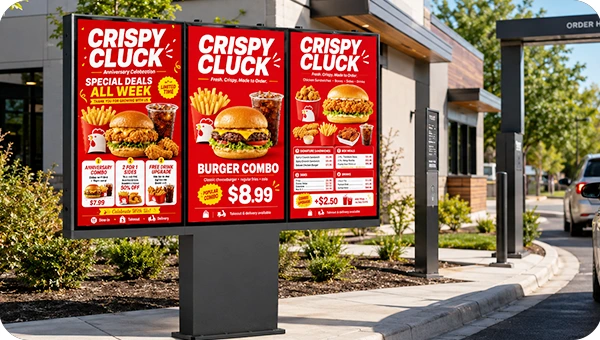
Digital Menu Boards and Drive-Thru Displays
Restaurants, quick-service restaurants (QSRs), and drive-thru operators need displays that make menus and promotional content easy to read throughout operating hours.
Indoor menu boards may work well at moderate brightness, while outdoor drive-thru displays need a design suited to daylight exposure, weather conditions, and long operating hours.
7. Why Higher Brightness Is Not Always Better
It may be tempting to choose the LCD display with the highest possible nit rating. However, excessive brightness can introduce practical challenges.
- Higher power consumption: Driving the backlight at a higher output generally increases energy use.
- More heat: High-brightness systems need appropriate heat dissipation to maintain stable operation.
- Nighttime discomfort: A screen that is comfortable in daylight may be excessively bright after dark.
- Potentially higher system cost: High-brightness panels and the associated thermal and optical design can increase total project cost.
For installations that operate throughout the day and night, automatic brightness adjustment or scheduled dimming can help balance readability, energy use, and viewing comfort.
The goal is not to buy the brightest display available. It is to select a display that remains readable under the actual lighting conditions while operating reliably over the intended service life.
8. What Should B2B Buyers Check Beyond Nits?
For distributors, system integrators, OEM customers, and project contractors, brightness is only one part of a commercial LCD display specification.
Before placing a bulk order, evaluate the following:
- Brightness measurement: Confirm whether the quoted figure applies to the LCD panel or the complete display, and request the measurement conditions.
- Contrast ratio: Check whether the figure refers to static or dynamic contrast.
- Optical performance: Ask about anti-glare glass, anti-reflective treatment, screen reflectance, and any optical bonding.
- Thermal design: Verify cooling requirements and the supported operating temperature at the intended brightness level.
- Operating hours: Confirm whether the product is designed for the required daily operating schedule.
- Environmental protection: For outdoor projects, check ingress protection, weather resistance, and enclosure design.
- Brightness control: Determine whether manual dimming, automatic light sensors, or scheduled brightness control is available.
- Customization and supply capability: For OEM/ODM projects, confirm available screen sizes, enclosure options, interfaces, software configurations, and production capacity.
Requesting a complete specification sheet and validating the display in a representative installation environment can reduce the risk of choosing a product that looks good on paper but performs poorly on site.
9. High-Brightness LCD Display Solutions from Kontech
Kontech provides commercial LCD display and digital signage solutions for businesses, distributors, system integrators, and OEM/ODM partners.
Depending on the application, product options include:
- Indoor Digital Signage: For retail stores, commercial buildings, information displays, and indoor promotional content.
- High-Brightness Window Displays: For storefront advertising and retail window installations where daylight visibility is important.
- Outdoor Digital Signage: For outdoor advertising, public spaces, transportation environments, and other demanding installations.
- Digital Menu Boards: For restaurants, cafés, quick-service restaurants, and drive-thru applications.
When evaluating a solution, Kontech recommends matching brightness to the installation environment instead of choosing by nit rating alone. Panel performance, screen reflectance, thermal management, operating hours, and installation conditions should all be considered.
For bulk purchasing or customized projects, contact the Kontech team to discuss your target application, required brightness, screen size, operating environment, and OEM/ODM requirements.
Frequently Asked Questions
Is a higher nit rating always better?
No. Higher brightness can improve visibility in bright environments, but it may increase power consumption, heat, and nighttime glare. The best rating depends on the installation conditions.
What is a good brightness level for an LCD display indoors?
Approximately 400–700 nits can be a useful starting point for many indoor commercial applications. Displays near windows or under intense lighting may require more brightness.
How many nits are needed for a storefront window display?
There is no single answer. Depending on sunlight exposure and reflections, a storefront display may need approximately 700–3,000 nits or more. Site conditions should guide the final selection.
Does contrast ratio affect visibility outdoors?
Yes, but contrast ratio alone is not enough. Reflected ambient light can reduce perceived contrast, so brightness, screen reflectance, anti-glare performance, and viewing conditions must be considered together.
What is the difference between nits and cd/m²?
They are equivalent units for display luminance. One nit equals one candela per square meter (1 nit = 1 cd/m²).
What specifications should I request from a commercial display manufacturer?
Ask for brightness, contrast ratio and measurement method, screen reflectance or anti-glare options, operating temperature, duty cycle, environmental protection, brightness control, warranty details, and available customization options.
Conclusion
Understanding LCD brightness, nits, and contrast ratio helps commercial display buyers choose products that perform well in real-world environments.
Nits indicate the amount of light emitted by a screen, while contrast ratio describes the difference between bright and dark output. Neither specification alone determines visibility. Ambient light, reflections, screen orientation, thermal design, and the intended operating schedule also matter.
For retail advertising, window displays, digital menu boards, and outdoor signage, the best solution is one that balances brightness, optical performance, reliability, and total project cost.
Looking for a commercial LCD display manufacturer for your next project? Contact Kontech to discuss high-brightness display solutions, bulk orders, and OEM/ODM customization.

