
How to Select the Right Commercial Display for Your Business Project: A Complete B2B Guide
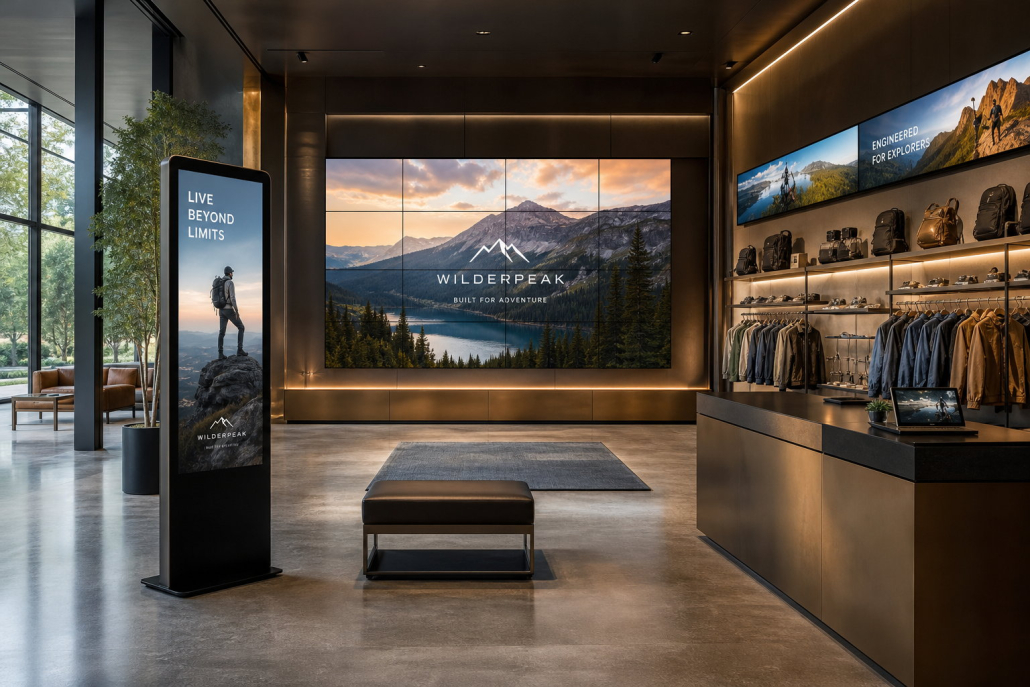
In today’s visually driven marketplace, digital signage has evolved from a passive presentation tool into an indispensable asset for customer engagement, brand storytelling, and operational efficiency. Whether you are outfitting a global retail chain, upgrading quick-service restaurant (QSR) digital menu boards, or designing corporate smart spaces, selecting the right commercial display is a critical decision that directly impacts your brand reputation and return on investment (ROI).
However, navigating the complex landscape of commercial display technology—ranging from brightness levels and duty cycles to thermal management and content management systems (CMS)—can be overwhelming. Many project planners make the costly mistake of treating commercial screens like oversized consumer televisions.
This comprehensive guide breaks down the essential technical considerations, scenario-specific requirements, and total cost of ownership (TCO) metrics to help you make an informed procurement decision for your commercial display project.
1. Commercial Display vs. Consumer TV: Why the Difference Matters
Before diving into specifications, it is vital to address the most frequent question raised by procurement teams: Can we simply install consumer TVs to cut initial costs?
While consumer TVs may appear cost-effective initially, their underlying architecture is designed for domestic living rooms—typically 4 to 8 hours of intermittent daily use in ambient-controlled environments. In contrast, commercial displays are engineered from the ground up for rigorous commercial environments.
The Bottom Line: Using consumer televisions in commercial installations invariably results in premature panel failure, persistent overheating, image retention (burn-in), and voided warranties, drastically increasing your Total Cost of Ownership (TCO).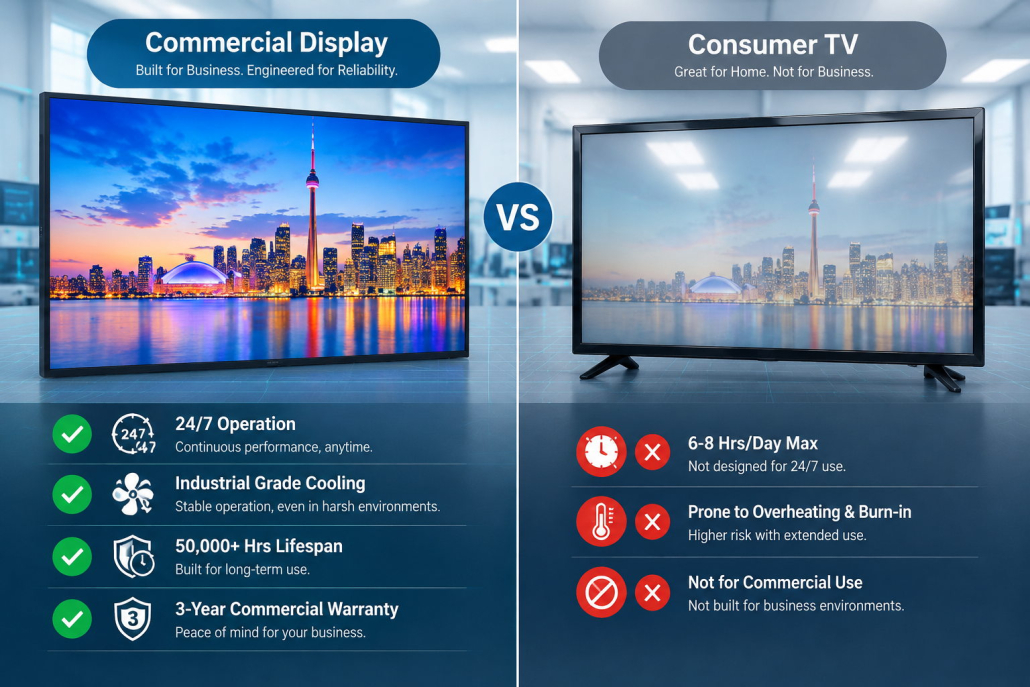
2. Five Critical Technical Factors to Evaluate
When evaluating commercial display models for your project RFP or supplier quotation, focus on these five core technical pillars:
2.1. Brightness and Ambient Lighting Conditions
Ambient light determines screen readability. Screen brightness is measured in candelas per square meter (cd/m²), commonly known as nits:
- Standard Indoor (350–500 nits): Ideal for corporate meeting rooms, standard retail boutiques, and hotel lobbies where lighting is controlled.
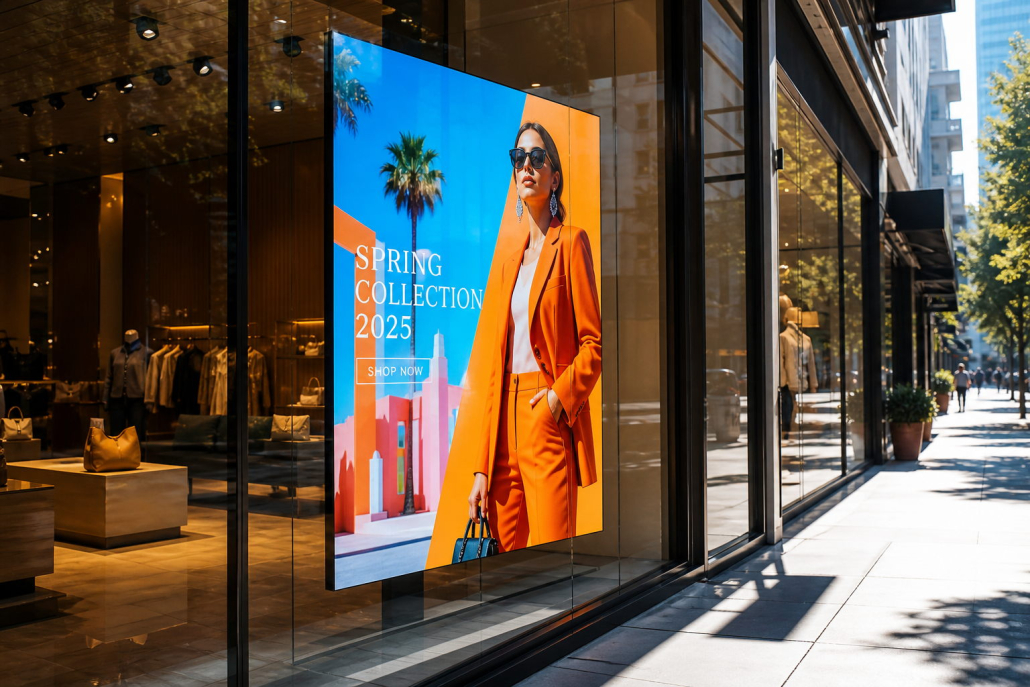
- High-Ambient / Window-Facing (700–1,500 nits): Essential for storefront window displays, brightly lit supermarket checkout aisles, and atrium installations exposed to indirect sunlight.
- Outdoor & Semi-Outdoor (2,500–3,500+ nits): Required for drive-thru menus, outdoor bus shelters, and open-air concourses to overcome direct sunlight glare without screen wash-out.
2.2. Duty Cycle & 24/7 Operational Reliability
Will your screens run during standard business hours (16/7) or around the clock (24/7) in transportation hubs, hotels, or drive-thrus?
- Commercial displays designed for 24/7 operation utilize commercial-grade liquid crystal panels that prevent liquid crystal degradation, back-light color shifting, and image retention.
- Ensure the unit features an internal thermal protection circuit and watchdog auto-recovery system to ensure continuous uptime and prevent black-screen outages.
2.3. Anti-Glare (AG) Treatment and Haze Value
Glossy consumer panels reflect overhead store fixtures and outdoor sunlight, rendering content illegible. Look for commercial screens featuring 25% to 44% surface haze treatments (Anti-Glare / AG coating). This diffuses ambient reflections while preserving color saturation and contrast.
2.4. Operating System, SoC, and CMS Integration
Modern digital signage displays integrate System-on-Chip (SoC) architectures running Android, Linux, or Windows:
- Built-in SoC Architecture: Eliminates the clutter and failure points of external media players, power cables, and HDMI connectors.
- Free or Cloud-Based CMS Compatibility: Ensure the display firmware supports remote cloud cluster management, automated on/off scheduling, split-screen layouts, and real-time content updates via Wi-Fi, Ethernet, or 4G/5G.
2.5. Mechanical Enclosure & Ingress Protection (IP Rating)
For industrial, kitchen, or outdoor projects, check the physical durability:
- IP54 / IP65 Waterproof & Dustproof: Crucial for kitchen QSR menu boards (grease and steam) or semi-outdoor public terminals.
- IK08 / IK10 Impact Resistance: Vandal-resistant tempered protective glass prevents accidental impact damage in high-foot-traffic concourses.
3. Matching Display Types to Business Application Scenarios
Each commercial scenario demands tailored hardware parameters. Here is how to map screen categories to typical business environments:
[Retail & Fashion]         --> Ultra-Slim Video Walls & Digital Fashion Posters
[Quick-Service Dining]     --> High-Brightness Ceiling/Wall Digital Menu Boards (IP54)
[Corporate & Education]    --> 4K Interactive Flat Panels (IFP) with Multi-Touch
[Malls & Hospitality]      --> Floor-Standing Interactive Kiosks & Wayfinding Totems
A. Retail Stores & Flagship Boutiques
- Objective: Captivate foot traffic and elevate brand aesthetic.
- Recommended Setup: Ultra-narrow bezel (UNB) video walls or ultra-stretched bar LCD screens integrated above garment racks and shelving. A minimum of 500–700 nits ensures true-to-life product color reproduction.
B. Quick-Service Restaurants (QSR) & Cafes
- Objective: Boost average ticket size and enable dynamic menu changes.
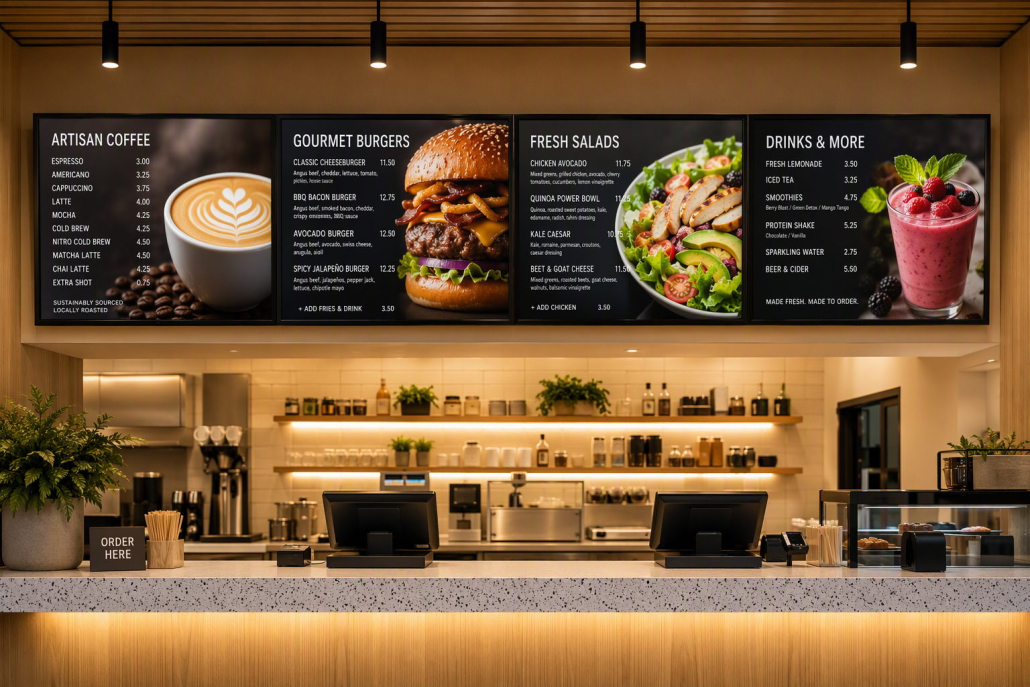
- Recommended Setup: Seamless multi-screen digital menu boards (43″–55″) configured horizontally or vertically, paired with centralized CMS for day-parting (e.g., breakfast to lunch switch) and instant price adjustments.

C. Corporate Boardrooms & Training Centers
- Objective: Frictionless collaboration and seamless video conferencing.
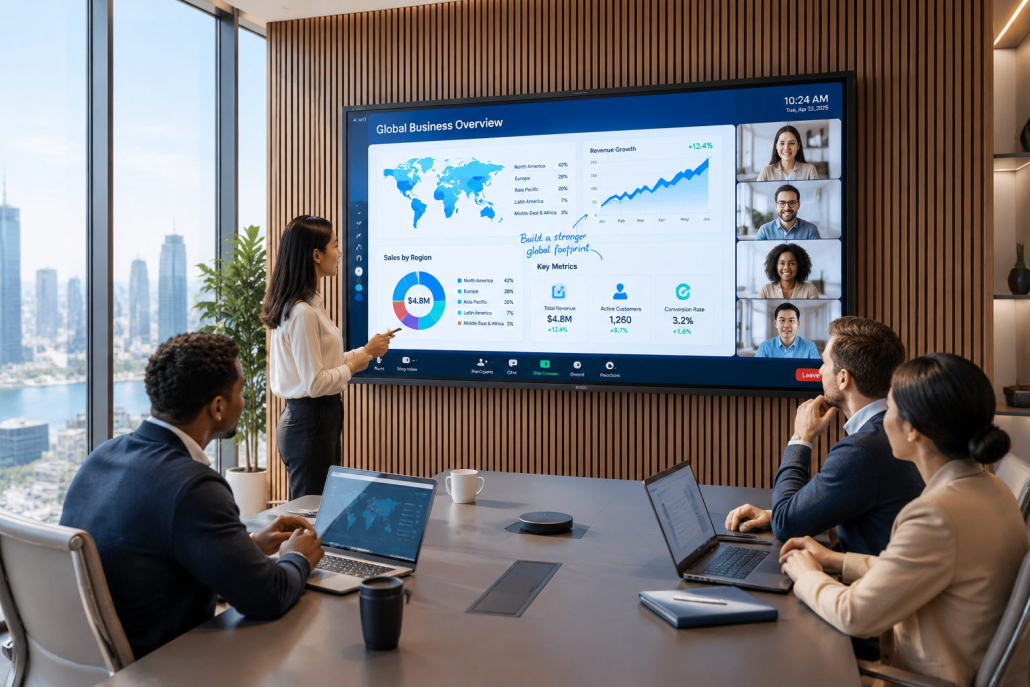
- Recommended Setup: 65″–86″ 4K Interactive Flat Panels with 20-point touch, wireless screen mirroring (AirPlay/Miracast), and anti-fingerprint coatings.
D. Transportation Hubs & Public Facilities
- Objective: Real-time information dissemination and directional guidance.
- Recommended Setup: Heavy-duty floor-standing digital signage kiosks with 24/7 rated industrial motherboards, wide viewing angles (178°/178°), and tamper-proof locking systems.
4. Evaluating Total Cost of Ownership (TCO) & OEM/ODM Partners
When sourcing commercial displays from manufacturers, the invoice unit price accounts for only a fraction of the lifecycle cost. Smart enterprise procurement evaluates the Total Cost of Ownership (TCO):
- Energy Efficiency: Commercial screens operate long hours. Units utilizing high-efficiency LED backlighting and ambient light sensor dimming save up to 30–40% on annual electricity bills.
- Mean Time Between Failures (MTBF): Displays with MTBF ratings exceeding 50,000 hours minimize costly on-site maintenance dispatches and technician callouts.
- Regulatory Certifications: Ensure your manufacturing partner holds accredited CE, FCC, UL, RoHS, and Energy Star certifications to eliminate import customs risks and commercial building insurance liabilities.
- OEM/ODM Customization Capability: Can the supplier customize logo printing, customized mounting brackets, specialized brightness levels (e.g., 3000 nits), or bespoke OS launcher skins?
5. Why Partner with Kontech for Your Commercial Display Deployment
With over a decade of specialized B2B manufacturing experience, Kontech is a trusted OEM/ODM provider of professional commercial displays, outdoor waterproof TVs, high-brightness window-facing screens, and bespoke digital signage totems.
- Full-Spectrum Product Range: From 10.1-inch countertop touch displays to 98-inch 4K high-brightness signage and ultra-stretched bar screens.
- Industrial-Grade Reliability: Engineered with proprietary thermal dissipation architectures, 24/7 continuous operation panels, and rigorous pre-shipment aging tests.
- End-to-End OEM/ODM Flexibility: Hardware engineering, custom housings, branded silk-screen printing, and embedded software integration tailored to your project RFP.

