How to choose a digital signage motherboard operating system: Android, Windows, or Linux?.
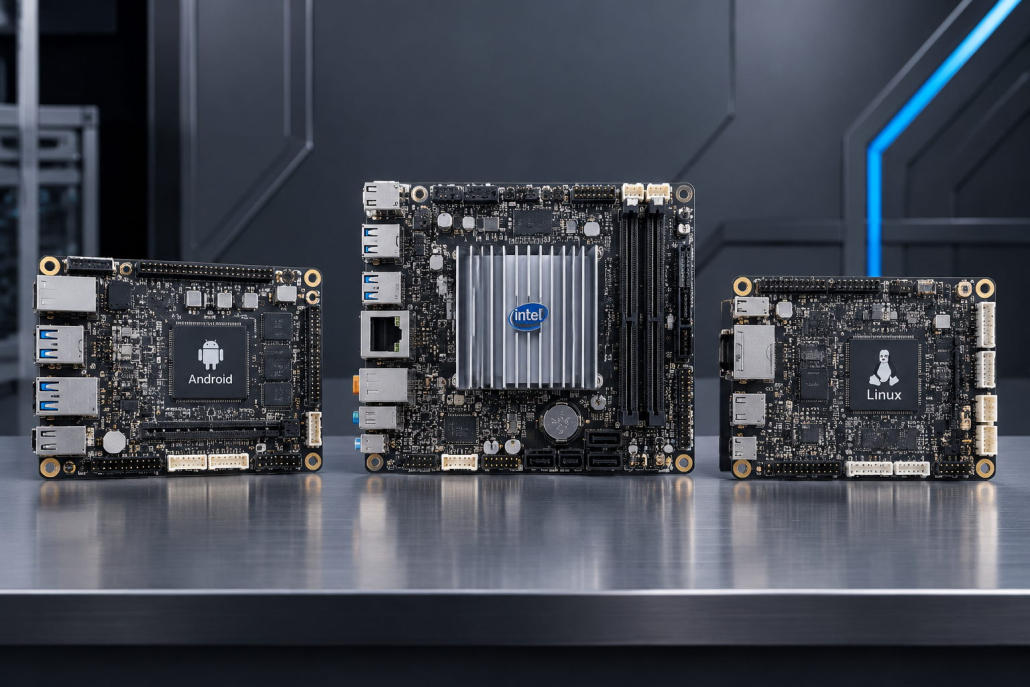
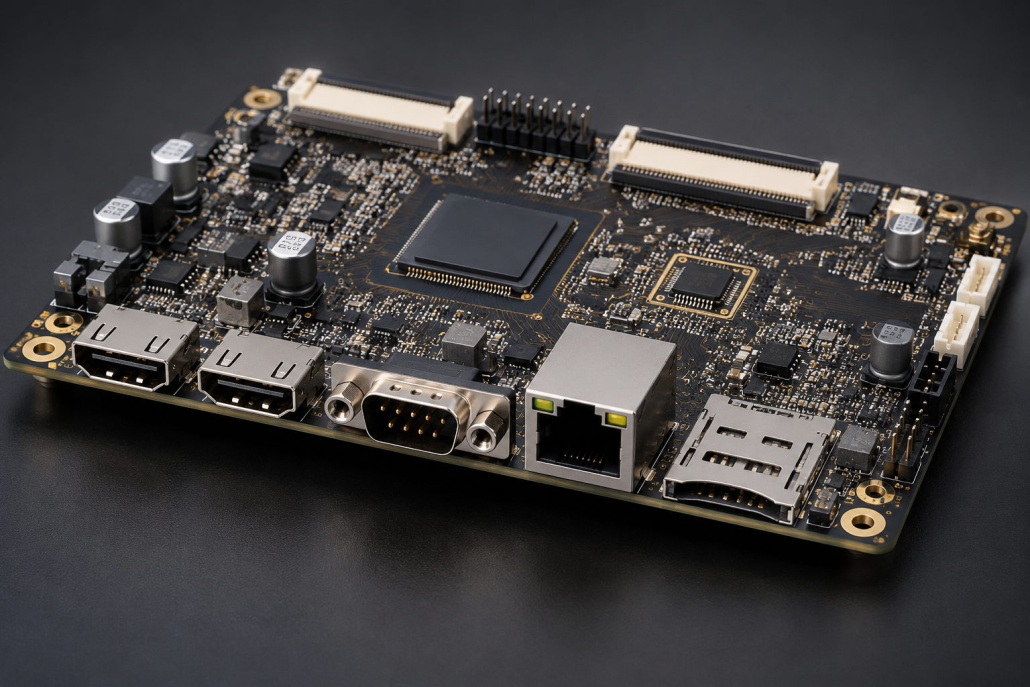
When deploying digital signage—whether it is a 10-screen boutique install or a 2,000-display fast-food restaurant rollout—the display panel is only half the battle. The true engine running behind the glass is the motherboard (media player engine)
Procurement directors and software architects usually find themselves stuck in a classic debate:
- “Our engineering team already built a custom Android APK, but will it handle 24/7 uninterrupted playback without crashing?”
- “Windows supports every complex interactive peripheral we own, but can our project budget absorb a 80 OS license per screen?”
- “Linux has zero license fees and legendary stability, but who is going to build and maintain the driver stack?”
There is no single “best” operating system in commercial hardware. Instead, the right choice boils down to three decisive pillars: Software Compatibility, 24/7 Field Stability, and Total Cost of Ownership (Licensing + Hardware).
Let’s break down each platform with zero marketing fluff.
1. Software Compatibility: Matching Hardware to Your CMS and Custom Apps
Software compatibility is where projects succeed or stall. Replacing existing software after ordering hundreds of displays is a financial disaster.
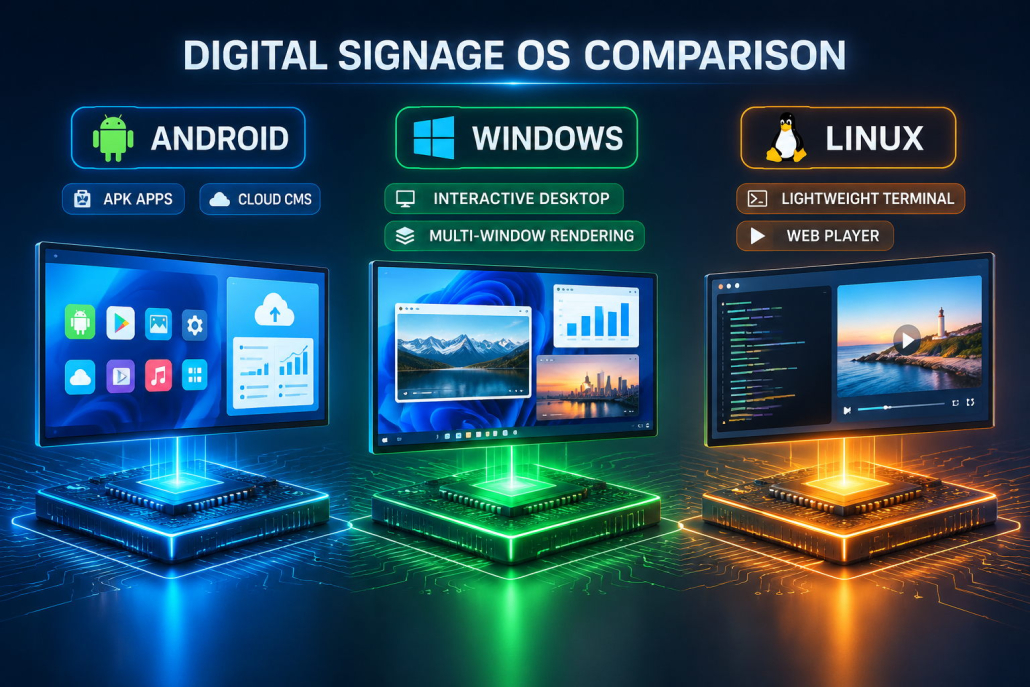
Android: The Standard for Modern Cloud CMS & Mobile Apps
Android (typically running on ARM chipsets like Rockchip RK3568, RK3588, or Allwinner) has become the de facto standard for turnkey digital signage:
- Existing App Migration: If your company already has an Android app (
.apk), deployment is practically plug-and-play. - CMS Support: 90% of modern cloud-based Digital Signage CMS platforms (Navori, Yodeck, Appspace, BrightSign, TelemetryTV) have first-class, lightweight Android player apps.
- Hardware Acceleration: Modern ARM SoCs decode dual-channel 4K@60fps H.265/VP9 video natively with negligible power draw.
- Limitation: Android struggles with complex multi-screen video walls running independent content streams or legacy Windows x86
.exedatabases.
Windows: The Powerhouse for Heavy Interactivity & Legacy Software
Windows (running on Intel Core i3/i5/i7, Celeron, or AMD Ryzen x86 architectures) remains irreplaceable in enterprise environments:
- Legacy & Proprietary Compatibility: If your digital kiosk requires
.NETframeworks, legacy desktop software, ERP integrations, POS peripheral drivers, or Microsoft Power BI dashboards, Windows is your only frictionless route. - Complex Peripherals: Plug-and-play driver support for specialized hardware—multi-touch infrared overlays, receipt printers, QR/barcode scanners, credit card terminals, and AI facial recognition cameras.
- Heavy Visual Renders: Native capability to run 3D wayfinding maps (Unity/Unreal Engine), high-refresh interactive retail experiences, and multi-display outputs (up to 4 independent 4K HDMI ports on a single x86 board).
Linux: The Lean Canvas for Web-Based & Proprietary Player Engines
Linux (Ubuntu, Debian, or custom Yocto builds) is favored by large tech-mature rollouts:
- HTML5 & Web Engines: Outstanding efficiency when displaying Chromium-based web signage, dynamic transit schedules, and cloud-rendered widgets.
- Containerization (Docker): Enables microservice architectures where content engines, local cache servers, and monitoring agents run in isolated containers.
- Limitation: Off-the-shelf commercial peripheral drivers (like specialized touch foils or proprietary thermal printers) often require manual kernel compilation or vendor-supplied C/C++ libraries.
2. Playback Stability & Maintenance: Keeping Screens Alive 24/7/365
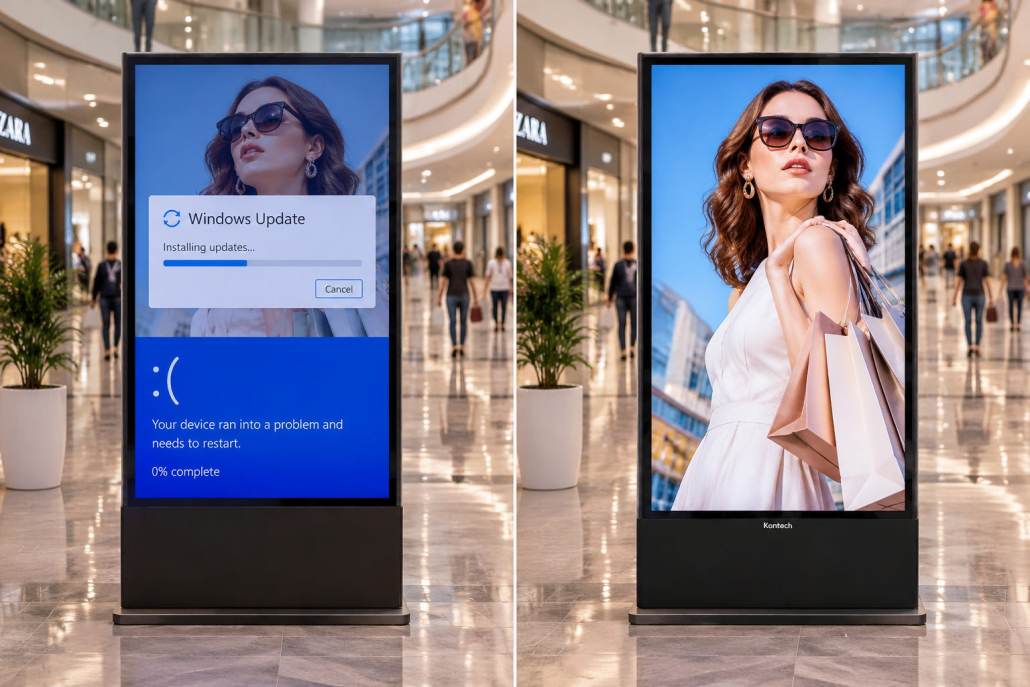
A digital signage screen in a public train station or flagship store cannot have a cursor stuck in the middle, an unexpected desktop update prompt, or a black screen.
The Hardware Watchdog Timer (WDT): A Non-Negotiable Component
Software crashes will eventually happen regardless of the OS. The difference between consumer hardware and an industrial signage board lies in the Hardware Watchdog Timer:
- How It Works: A dedicated microcontroller on the motherboard continuously listens for a “heartbeat” signal from your signage app. If the system freezes or the video engine crashes, the watchdog chip cuts and restores power automatically, rebooting the display within 30 seconds.
- Kontech Industrial Engineering: All Kontech commercial Android and Windows mainboards integrate physical hardware watchdog ICs alongside programmable Auto-Power-On (RTC scheduling) timers.
Kiosk Mode & Update Lockdowns: Preventing Public Embarrassment
- Windows (The Good & The Bad): Standard Windows 10/11 Home or Pro is notorious for forcing automatic updates, showing pop-ups, or crashing to a visible blue desktop. To use Windows reliably in signage, you must use Windows 10/11 IoT Enterprise, which allows you to completely disable automatic reboots, hide the Windows bootsplash, block USB access, and lock the system into unified “Assigned Access” (Kiosk Shell).
- Android: Commercial signage Android firmware is stripped of consumer Google Play services and notifications. Kontech custom Android firmware supports:
- Silent Background App Installation & OTA updates (no on-screen confirmation boxes).
- Root permissions & Kiosk auto-boot directly into your customer’s proprietary app.
- Screen orientation locking (hardware-level 90∘/180∘/270∘ rotation without performance drop).
- Linux: The gold standard in clean boots. Boots straight into a frameless browser or video pipeline via systemd with zero GUI desktop overhead, absolute zero unwanted update prompts, and read-only filesystem partitions that prevent file corruption during sudden power cuts.
3. Licensing Costs & Total Cost of Ownership (TCO)
When bidding on large tender projects, OS licensing fees and hardware power consumption can make or break your profit margin.
The Direct Cost Breakdown
Real-World Math: A 500-Screen Retail Chain Rollout
Imagine deploying 500 digital menu boards across a national restaurant franchise:
- Choosing Windows:
- OS Licensing: 500 \times \65 = $32,500$
- Higher Hardware Premium: 500 \times \120 = $60,000$
- Extra 5-Year Energy Draw: \sim \50,000$
- Extra Capital Expenditure: Over $140,000 for basic video looping.
- Choosing Android:
- OS Licensing: $0
- Energy efficient, fanless reliability, zero filter maintenance.
- Verdict: Unless you need heavy POS integrations on the same screen, Android wins on ROI by a landslide.
4. Which OS Matches Your Real-World Application?
To simplify your procurement decision, look at where each platform thrives in the field:
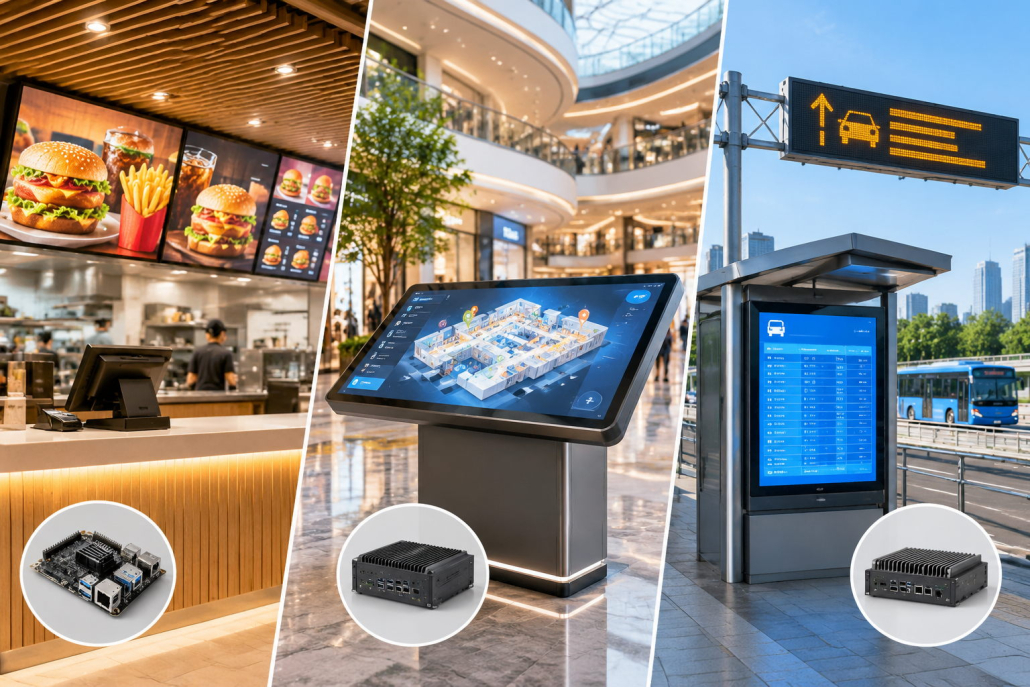
Choose Android If You Are Building:
- Fast Food & QSR Digital Menu Boards: Quick menu schedule updates, high energy efficiency, zero fan noise in kitchen heat.
- Retail Advertising Screens & Window Displays: Looping 4K video ads, synchronized multi-screen promotional displays, and cloud CMS management.
- Budget-Sensitive B2B Rollouts: Projects where saving $100+ per endpoint in licensing and hardware is critical to winning the contract.
- Dual-Sided Window Displays: Running dual panels seamlessly from a single compact ARM board.
Choose Windows If You Are Building:
- Interactive Wayfinding & Mall Kiosks: Smooth 3D graphics, multi-touch pinch-to-zoom, and complex visual interaction.
- Self-Service Checkouts & POS Terminals: Direct integration with barcode scanners, thermal receipt printers, chip card readers, and internal databases.
- Multi-Screen Video Walls: Driving 3 to 6 independent displays from a single x86 motherboard with specialized multi-head GPU cards.
- Enterprise Corporate Campuses: Tight integration with Microsoft Active Directory, local Windows domain security policies, and enterprise VPNs.
Choose Linux If You Are Building:
- Smart City & Outdoor Transportation Hubs: Bus stop passenger info displays, highway overhead variable message signs, and subway train arrival boards.
- High-Security Environments: Banking networks, government lobbies, and airport control rooms that prohibit consumer operating system telemetry.
- Proprietary Hardware Appliances: Integrators with their own dedicated software engineering team who want complete kernel-level control over the operating system.
5. Summary Decision Matrix & Procurement Checklist
Use this quick scorecard when writing your hardware RFQ or submitting technical specifications:
Frequently Asked Questions (FAQ)
Q1: Can I use standard Windows 10 Home or Pro instead of Windows 10 IoT Enterprise to save money?
A: We strongly advise against it for commercial deployments. Windows 10/11 Home and Pro will eventually download feature updates, restart unexpectedly during business hours, or display network alert notifications over your client’s advertisement. Windows 10/11 IoT Enterprise LTSC (Long-Term Servicing Channel) guarantees 10 years of stability without surprise updates and includes dedicated kiosk lockdown filters.
Q2: Is Android stable enough for true 24/7/365 commercial playback?
A: Yes, provided you are using an industrial-grade digital signage motherboard rather than a consumer TV box. Industrial boards feature commercial thermal dissipation, eMMC solid-state storage (not flimsy SD cards), regulated DC power inputs, and physical hardware watchdog timers that auto-recover from any software anomalies.
Q3: Does Kontech offer pre-configured motherboards with custom firmware?
A: Yes. Kontech provides complete hardware-software integration for both Android (Rockchip RK3568/RK3588) and Windows (Intel 11th/12th/13th Gen) architectures. We can flash your proprietary APK or software image at the factory, configure boot logos, enable hardware watchdog timers, and lock default display orientations before shipping.
Engineering Your Next Digital Signage Hardware with Kontech
Choosing between Android, Windows, and Linux is not about finding the perfect OS—it is about choosing the right balance between software readiness, maintenance overhead, and hardware budget.
At Kontech, we don’t force you into a one-size-fits-all box. With over 15 years of dedicated B2B display and motherboard engineering experience:
- We manufacture commercial-grade Android ARM mainboards, Intel x86 OPS / PC modules, and embedded Linux display controllers.
- Every board is rigorously tested under high-temperature aging chambers for 24/7 continuous operation.
- Custom board-level I/O design: dual HDMI, LVDS/V-by-One, RS232, 4G LTE, and wide-voltage DC inputs.
Need advice on the right motherboard architecture for your upcoming project?
Contact the Kontech Engineering Team today to discuss your software compatibility, request board schematics, or order evaluation sample units.

