
How to Update Digital Signage Content in Remote Outdoor Areas Without WiFi?
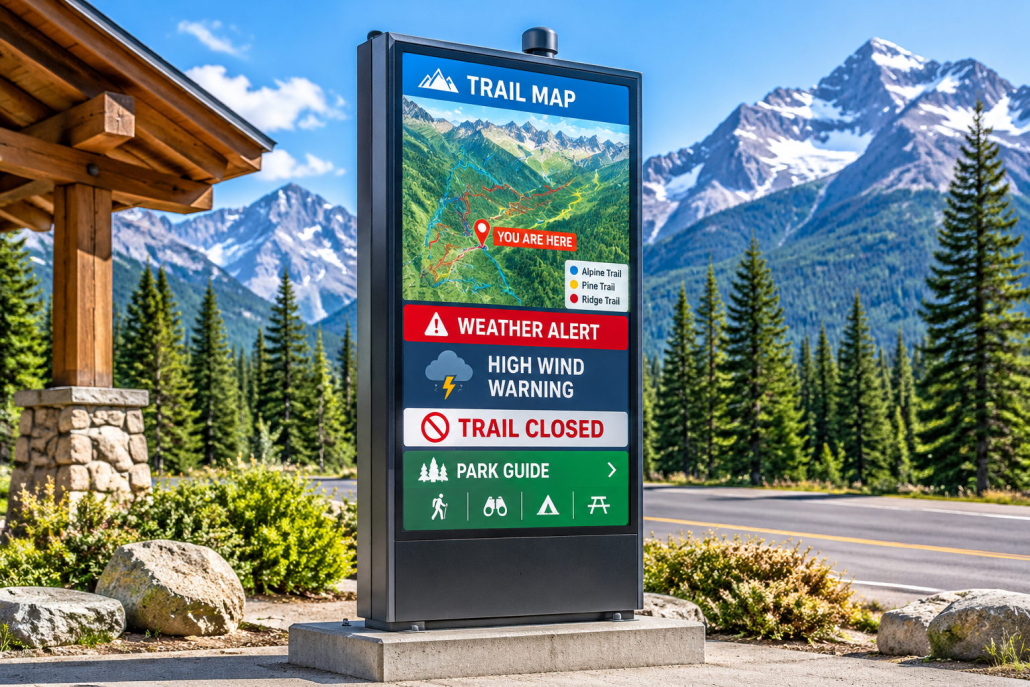
You are deploying digital signage across a municipal bus transit network with 40 rural shelter stops, a 60-mile highway corridor with rest-area info boards, or a sprawling 5,000-acre national scenic park.
The screens are installed. The power is hooked up. But there is a glaring operational problem: There is no local broadband Ethernet cable, and there is no store WiFi network within miles.
How do you change a tourist safety alert, update a bus arrival timetable, or swap out seasonal advertising content?
Do you really have to send a technician in a truck to drive four hours round-trip with a USB thumb drive every time you need to change a single headline or price?
The short answer is no. In modern commercial AV engineering, updating off-grid and remote digital signage is a solved problem. Whether you need fully automated real-time cloud updates or fail-safe local offline workflows, multiple practical technologies keep your remote screens fresh, secure, and running smoothly.
Drawing from Kontech’s outdoor digital signage engineering standards (ODF Series: 32″ to 75″, IP65/IP66 weatherproof enclosures, 2,500 to 3,500 nit sunlight-readable panels, -20°C to 50°C wide operating temperatures, and built-in industrial connectivity options), this guide outlines the four most reliable methods to update digital signage in remote outdoor areas without WiFi—along with bandwidth-saving tips to keep ongoing operating costs near zero.
The Reality of Remote Deployments: The 3 Big Challenges
Before picking a technology, it helps to understand why standard consumer networking fails outdoors:
- Physical Isolation: Trenching fiber-optic or copper Cat6 cable to a highway rest stop or a scenic mountain trailhead can cost $20 to $50 per linear foot—often running up construction bills into tens of thousands of dollars just for connectivity.
- Harsh Weather & Temperature Swings: Consumer routers and plastic dongles freeze below 0°C (32°F) and overheat in summer sun. Commercial outdoor screens need industrial-grade modems rated from -20°C to 50°C (-4°F to 122°F).
- Signal Drops & Black Screen Risks: Cellular connections in valleys or along highways fluctuate. If a screen relies entirely on live streaming, a brief signal dip causes an ugly black screen or a Windows error dialog.
Here is how commercial operators overcome these hurdles.
Method 1: Industrial 4G/5G Cellular IoT (The Gold Standard for Remote Cloud Updates)
By far the most common, flexible, and hands-free method is outfitting your outdoor display with an industrial 4G LTE or 5G cellular modem.
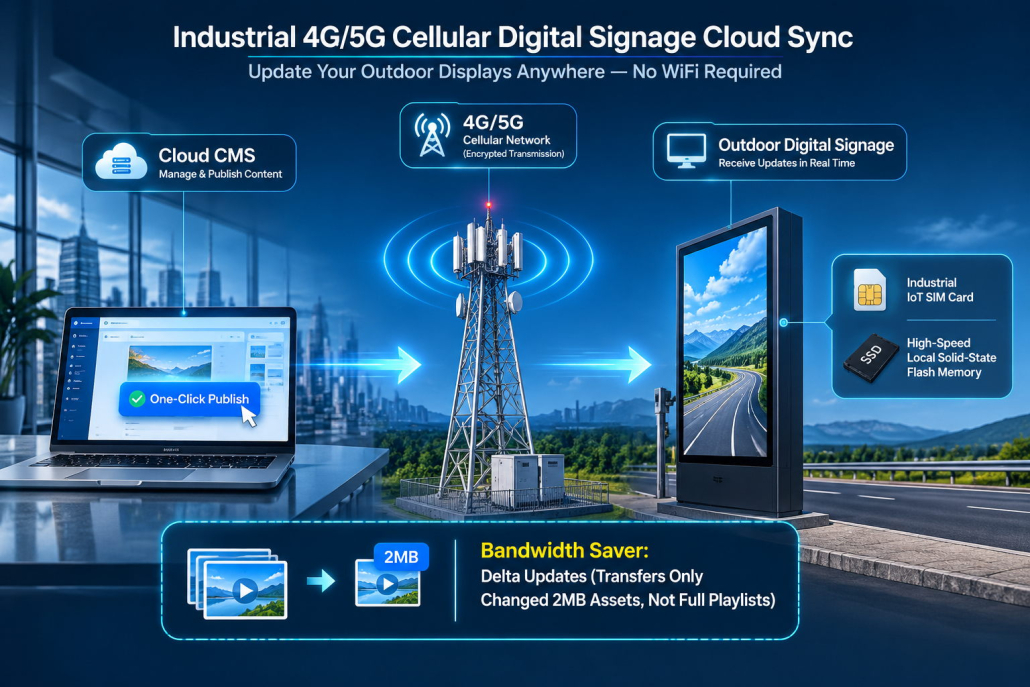
Instead of searching for WiFi, the screen connects directly to mobile telephone towers just like your smartphone, linking back to your central cloud Content Management System (CMS).
HOW 4G/5G CELLULAR DIGITAL SIGNAGE WORKS:
┌─────────────────────────┐       Cellular Signal        ┌─────────────────────────┐
│ HEADQUARTERS CLOUD CMS  │ ═══════════════════════════> │ CELL TOWER BASE STATION │
│ • Update schedule       │    (4G LTE / 5G Bandwidth)   └───────────┬─────────────┘
│ • Upload images/videos  │                                          │ Encrypted RF
│ • Click "Publish"       │                                          ▼
└─────────────────────────┘                            ┌───────────────────────────┐
                                                       │ KONTECH OUTDOOR DISPLAY   │
                                                       │ • External High-Gain Puck │
                                                       │ • Industrial IoT SIM Card │
                                                       │ • Local Flash Storage     │
                                                       └───────────────────────────┘
Key Engineering Components for Cellular Signage:
- Dedicated M2M / IoT SIM Cards: Do not use a consumer phone SIM card. Commercial deployments use Machine-to-Machine (M2M) or IoT data SIMs from major carriers (AT&T, Verizon, Vodafone, T-Mobile). These plans offer pooled shared data across all your screens, fixed IP addressing, and roaming across multiple carrier towers for maximum uptime.
- External Ruggedized Antenna (Puck Antenna): Because outdoor displays are housed in thick aluminum alloy enclosures (which act as a Faraday cage blocking radio signals), the cellular antenna must be mounted externally. Kontech outdoor totems use vandal-resistant, IP67-rated low-profile “puck” antennas mounted on top of the cabinet to pull in weak signals from distant towers.
- Embedded SoC with Mini-PCIe / M.2 Slot: Rather than mounting a loose external router with messy cables, professional commercial displays integrate the 4G/5G cellular modem directly onto the internal Android or industrial PC motherboard.
How to Avoid Huge Monthly Data Bills (“Delta Updates”):
A common fear among buyers is: “Won’t sending 4K video files over cellular cost a fortune in data fees?”
Not if your CMS is configured properly. Professional digital signage software uses Delta Updating (Differential Caching):
- When you update a menu or billboard, the screen does not re-download the entire playlist.
- It only downloads the specific new 2MB image or 50KB text file that changed.
- Assets are cached permanently on the screen’s internal 16GB/32GB solid-state storage.
- Using delta updates, a remote screen typically consumes only 1GB to 3GB of cellular data per month, keeping mobile service bills as low as $10 to $20 per month per screen.
Method 2: Secure USB Auto-Play with Keyed Security Hatch (Zero Data Cost)
If your remote location has zero cellular reception (such as deep river canyons, remote national parks, or underground transit tunnels), or if your budget strictly forbids monthly SIM card fees, USB offline updating remains the most foolproof fallback.
However, commercial USB updating is very different from consumer TV playback.
How Industrial USB Auto-Play Works:
- Encrypted Folder Structure: You export your schedule and media assets from your CMS onto a standard USB 3.0 flash drive. The software creates a specialized encrypted folder structure (e.g.,
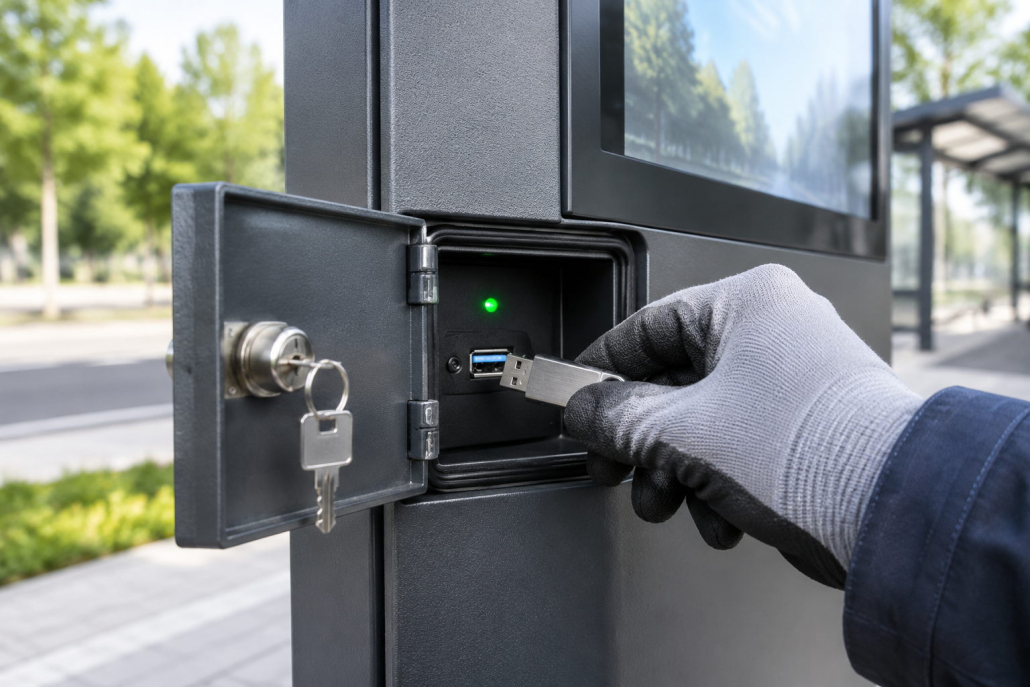
/AUTOPLAY/playlist.xml). - Access via Lockable Maintenance Hatch: In Kontech outdoor displays, technicians do not dismantle the screen or open the main glass door. A small, IP65-sealed, key-locked maintenance port on the side or rear gives direct access to an industrial USB port.
- Auto-Copy & Verification: When the USB drive is inserted, the internal player detects the encrypted key, automatically copies all new media files into internal flash memory, verifies file integrity, and reboots the playlist.
- Remove USB & Walk Away: The technician unplugs the USB drive, locks the hatch, and leaves within 60 seconds. The screen plays the updated content in a seamless loop directly from its internal solid-state drive.
Best Used For:
- Highway billboards with content that only changes once per month or quarter.
- Deep scenic forest trailheads with no cellular towers nearby.
- High-security facilities (military bases, utility substations) where wireless transmissions are prohibited.
Method 3: Field Tech Local Wireless Sync (Wi-Fi Direct / Local Web GUI)
What if you don’t want to plug physical USB sticks into 30 outdoor screens, but you still have no internet access?
The answer is Local Point-to-Point Wireless (No Internet Required).
How Local Wireless Updating Works:
- The outdoor display is equipped with a dual-band Wi-Fi card configured in AP (Access Point) Mode.
- While the screen has no internet connection, it broadcasts an encrypted local Wi-Fi beacon (e.g.,
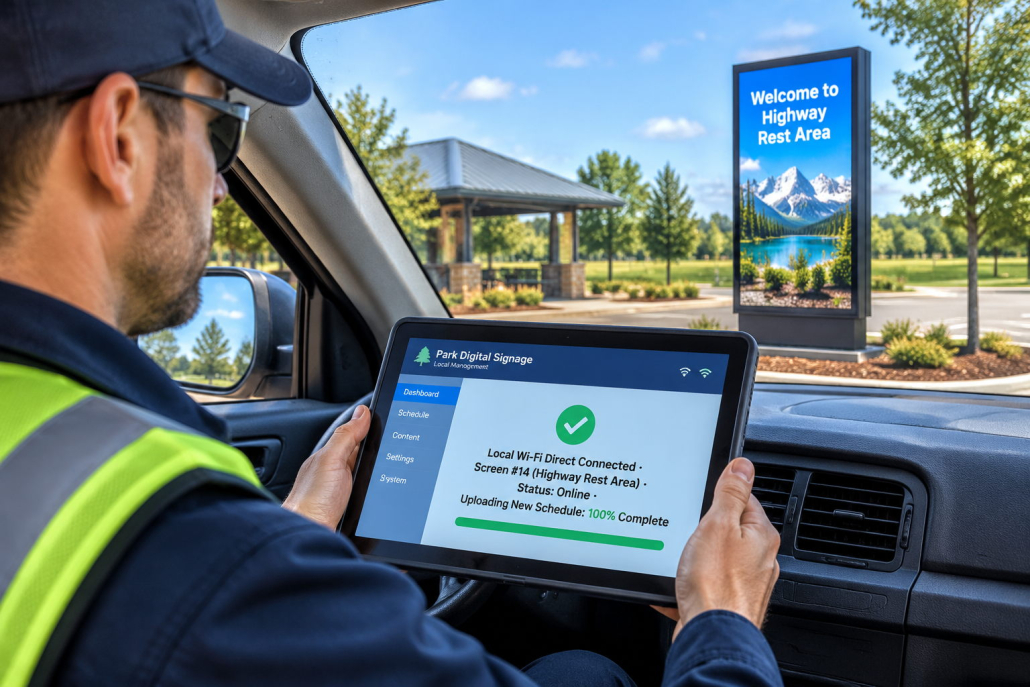
Kontech_Screen_042_Secure). - A park ranger, maintenance crew member, or transit inspector arrives in their vehicle and parks within 30 to 50 feet (10–15 meters) of the display.
- From their laptop, tablet, or smartphone inside the vehicle, they connect to the screen’s local Wi-Fi network and open an offline web dashboard in their browser.
- With one click, they upload the new safety bulletin, bus schedule, or emergency alert directly over local Wi-Fi at high speed (50+ Mbps).
- Once the upload completes, the screen refreshes immediately. The technician drives off without ever touching a tool, ladder, or key.
Method 4: Satellite IoT Terminals (For Truly Extreme Off-Grid Locations)
For mission-critical infrastructure deployed in absolute wilderness—such as desert border checkpoints, mountain ski resort summits, open-pit mining operations, or island ferry terminals—terrestrial cell towers simply do not exist.
In these extreme deployments, operators use Satellite IoT Data Terminals:
- Low-Earth Orbit (LEO) Terminals (e.g., Starlink Business / Direct-to-Cell): High-speed, low-latency satellite dishes mounted atop outdoor kiosks or shelter roofs provide 50–100 Mbps broadband anywhere on Earth under open sky.
- Narrowband Satellite IoT (e.g., Iridium / Inmarsat): If you only need to update text-based weather warnings, emergency evacuation notices, or simple price numbers, a compact, low-power narrowband satellite transceiver (about the size of a hockey puck) sends tiny data packets globally for minimal cost.
The Unsung Hero: Local Storage Caching & The “Zero Black Screen” Rule
Regardless of whether you choose 4G cellular, satellite, or drive-by Wi-Fi, there is one non-negotiable rule in commercial outdoor AV:
Never stream content live over a remote wireless network. Always cache locally.
Wireless networks in outdoor environments fluctuate. Thunderstorms roll in. Mobile towers undergo maintenance.
How Kontech Commercial Displays Guarantee 100% Uptime:
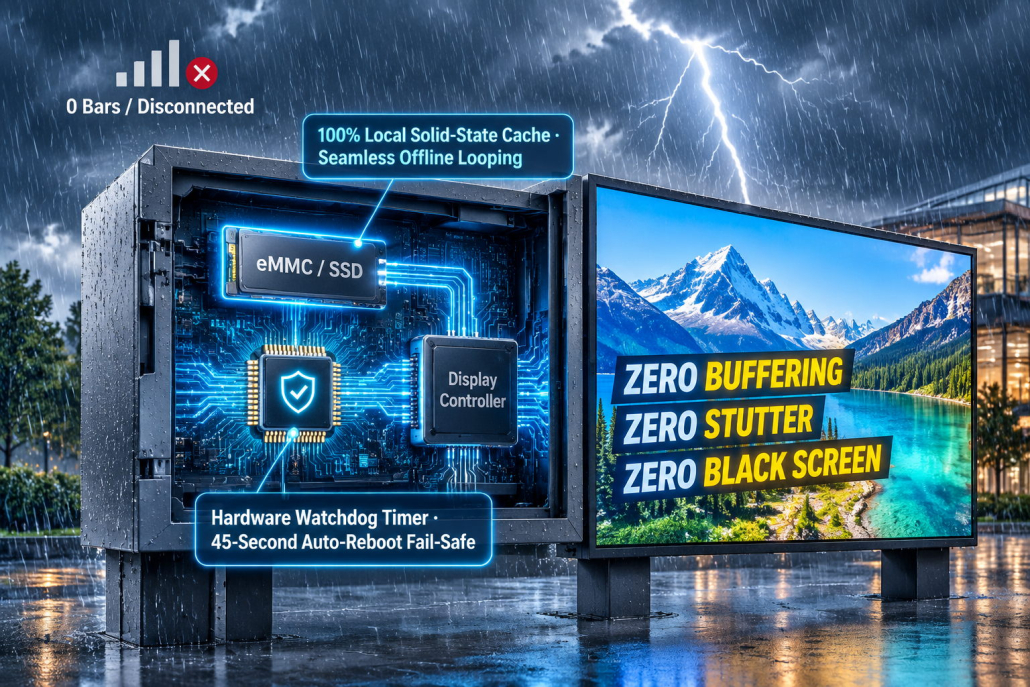
- Local Solid-State Storage (eMMC/SSD): All media assets (images, 4K videos, layout templates, font files) are fully downloaded and verified onto the internal solid-state drive before they are displayed.
- Offline Playback Engine: If the cellular network drops from 4 bars to zero bars for three hours or three days, the display continues playing its cached loop without a hitch. Passersby will never see a buffering wheel, an error pop-up, or a blank blue screen.
- Hardware Watchdog Timers: If power fluctuates or an unexpected software lockup occurs, an onboard hardware timer automatically reboots the player and restarts the cached playlist in under 45 seconds.
Summary Comparison: Which Remote Method Fits Your Project?
REMOTE DIGITAL SIGNAGE CONNECTIVITY COMPARISON MATRIX:
┌──────────────────────┬──────────────────┬─────────────────┬─────────────────┬──────────────────┐
│ UPDATE METHOD        │ HARDWARE COST    │ MONTHLY OPEX    │ UPDATE SPEED    │ BEST SUITED FOR  │
├──────────────────────┼──────────────────┼─────────────────┼─────────────────┼──────────────────┤
│ 4G/5G Cellular IoT   │ Low ($50–$150)   │ $10–$25 / month │ Instant (<60s)  │ Transit Shelters,│
│                      │ (Internal Modem) │ (Shared Data)   │ Across Network  │ City Billboards  │
├──────────────────────┼──────────────────┼─────────────────┼─────────────────┼──────────────────┤
│ Keyed USB Auto-Play  │ $0 (Included)    │ $0 / month      │ Physical Visit  │ Infrequent update│
│                      │                  │                 │ (1 minute onsite)│ No-signal canyons│
├──────────────────────┼──────────────────┼─────────────────┼─────────────────┼──────────────────┤
│ Local Wi-Fi AP Mode  │ $0 (Included)    │ $0 / month      │ 1–2 Minutes     │ Parks, Campuses, │
│                      │                  │                 │ (From Vehicle)  │ Fleet Routes     │
├──────────────────────┼──────────────────┼─────────────────┼─────────────────┼──────────────────┤
│ Satellite IoT / LEO  │ High ($400–$800) │ $50–$150 / mo   │ Instant (Live)  │ Ski Resorts,     │
│                      │                  │                 │                 │ Mining, Offshore │
└──────────────────────┴──────────────────┴─────────────────┴─────────────────┴──────────────────┘
